The last
scanner app
you'll ever
buy.
A document scanner for iPhone with OCR in 14 languages, PDF merge and 80% compression. Pay once for unlimited — no monthly fees, no ads, nothing to cancel.
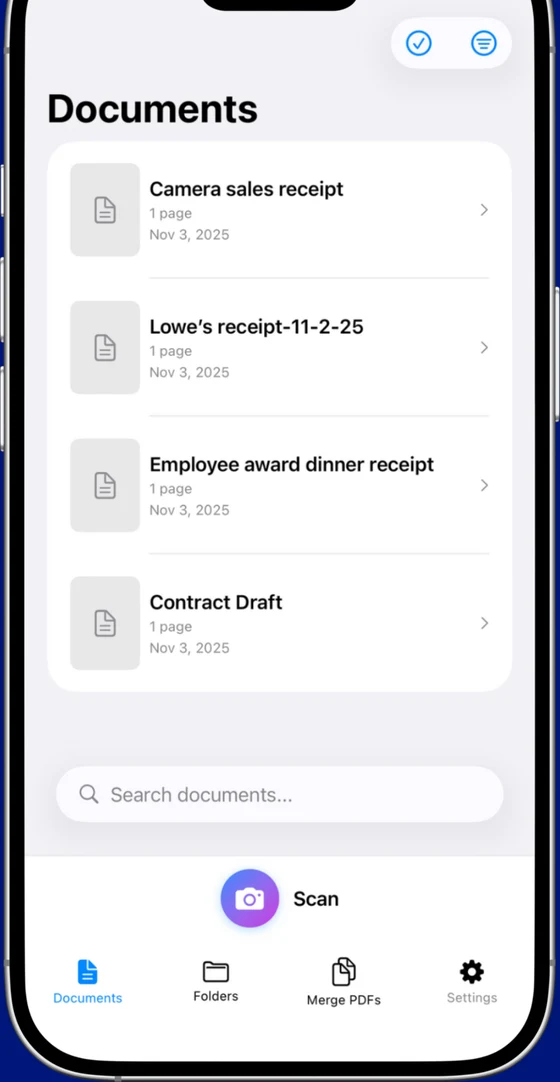
Every page, perfectly flat.
Point the camera and Scaniva finds the edges, straightens the page and cleans it up. Then it's yours to keep — searchable, compressed, and shareable as a PDF.
Scan anything, in any light.
Auto edge detection and perspective correction turn a phone photo into a crisp, straightened page. Five modes for whatever's in front of you.
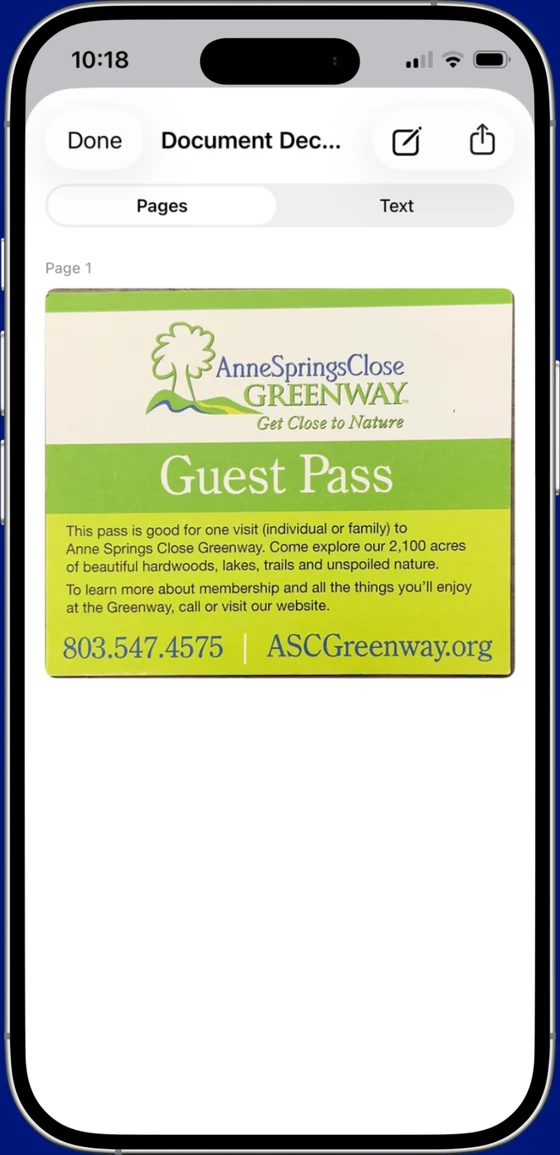
Searchable, shareable PDFs.
On-device OCR makes every scan searchable in 14 languages. Merge pages, compress up to 80%, and export a clean PDF — all without an account or an upload.
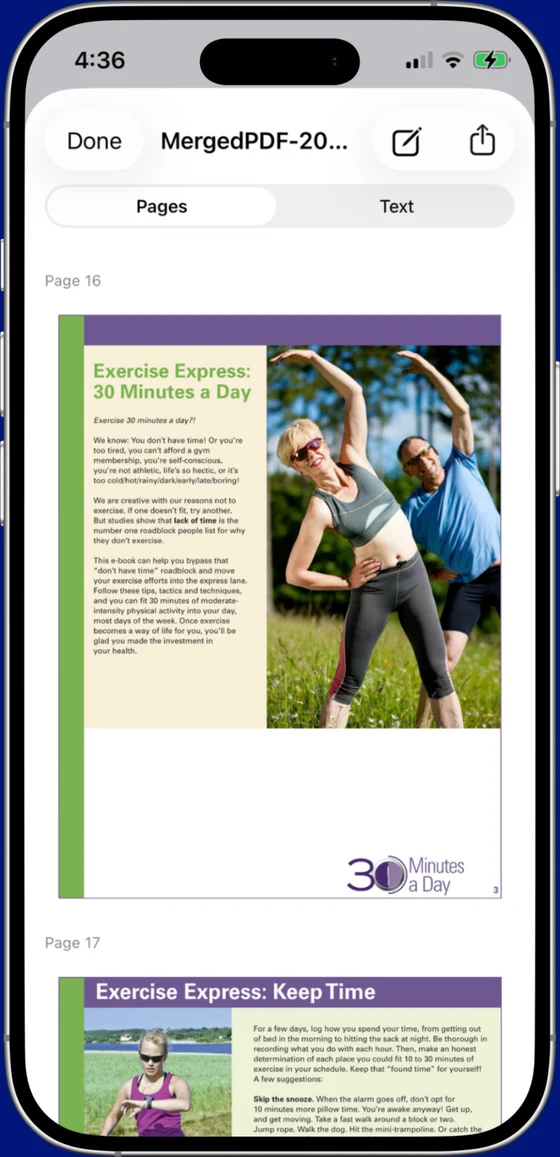
The right scan for whatever it is.
Scaniva tunes cropping, contrast and output for each kind of page — so a crumpled receipt and a glossy business card both come out clean.
Document
Multi-page contracts, forms and letters — auto-straightened and stitched into one searchable PDF.
Receipt
Tuned for thermal paper and faded ink. OCR pulls the totals so expense reports write themselves.
ID card
Front-and-back capture sized to the card, with edges cropped tight and glare knocked down.
Business card
Reads names, numbers and emails so contacts land as text instead of another photo you'll lose.
QR code
Scan any QR or barcode inline — no separate app, no ads, no redirect gauntlet.
Every mode, free
All five modes are in the free tier. The $9.99 unlock only lifts the caps.
OCR that reads the whole world.
Text recognition runs on your device in fifteen languages — Latin, Cyrillic, CJK, Arabic and more. Free users pick any two; premium unlocks all fifteen.
Three motions. One clean PDF.
Point & capture
Aim at the page. Scaniva finds the edges and grabs the shot — no perfect alignment needed.
Enhance & OCR
It straightens, cleans and reads the text on-device — searchable in the languages you choose.
Export & share
Merge, compress and export a clean PDF — straight to Files, Mail or anywhere, no upload.
You shouldn't need a subscription to scan a piece of paper.
No Subscription · No Ads · No Watermarks
One simple payment. Yours forever.
Stop paying every year.
The other scanners rent you the same features again every 12 months. Here's what five years costs.
Simple, honest pricing.
Try every mode free. When you're ready, one $9.99 payment lifts the caps for good.
Free forever
- 5 scans per month
- 10 OCR pages per month
- Any 2 of the 14 languages
- Store up to 10 documents
- All 5 scan modes included
- No ads, no account — ever
Premium
- Unlimited scans & OCR
- All 14 languages
- Unlimited document storage
- No footer on exports
- 80% PDF compression & lifetime updates

Asked and answered.
Is Scaniva really free?
Yes. The free tier gives you 5 scans a month, 10 OCR pages, any 2 of the 14 languages, and storage for up to 10 documents — with every scan mode included. A one-time $9.99 unlock removes the caps forever. No subscription, no account.
Does it put a watermark on my documents?
The free version adds a small, removable footer. The $9.99 premium unlock produces spotless, professional exports with no watermark.
Does Scaniva work offline?
Yes — scanning, OCR and PDF export all run on your device. Your documents never need to leave your iPhone or iPad, and there's no account or cloud upload required.
Which languages does the OCR support?
Fifteen: English, Spanish, French, German, Italian, Portuguese, Russian, Ukrainian, Japanese, Simplified Chinese, Traditional Chinese, Korean, Arabic and Turkish. Free users pick any 2; premium unlocks all 15.
Is it a subscription?
No. Scaniva is a one-time $9.99 purchase with lifetime updates — not a monthly or yearly plan. Against subscription scanners at $60–$120 a year, you save hundreds over five years.
Does it work on iPad?
Yes. Scaniva is a universal app for iPhone and iPad, requiring iOS 16 or later.
No fees. No ads. No catch.
Free to start, $9.99 to own it forever. Every scan mode, OCR in 14 languages, and clean PDFs — all on your device.
Get more out of every scan.
How to scan smarter on iPhone — and how Scaniva stacks up against the subscription apps.
Best Free Document Scanner for iPhone (2026)
What "free" really means in the App Store — and how to spot apps that trap you in a subscription before your first scan finishes.
Read → TutorialConvert a Photo to PDF on iPhone (Free, Offline)
Turn a single photo or a whole stack into a clean, searchable PDF — without uploading anything to the cloud.
Read → ComparisonCamScanner Alternatives Without an Account
An honest comparison of CamScanner, Genius Scan, iScanner, Microsoft Lens, Adobe Scan and Scaniva on price and privacy.
Read → ComparisoniScanner Alternatives Without the Auto-Renewing Trial
What to switch to if iScanner's 3-day trial converted before you could cancel — or if you just don't want a subscription.
Read → ComparisonAdobe Scan Alternatives Without an Adobe ID
Scanners that work without an Adobe sign-in — or the Acrobat Premium upsell that follows. Six options compared.
Read → ComparisonScanner Pro Alternatives Without a Subscription
Readdle's Scanner Pro went subscription in 2019. Here are six alternatives that respect the "buy once, own it" model — compared on real pricing.
Read → ComparisonTurboScan Alternatives With Modern Features
TurboScan pioneered pay-once scanning, but the app is aging. Six alternatives for people who want that philosophy with 2026 features.
Read → DeutschDokumentenscanner ohne Abo
Welche Scanner-Apps 2026 wirklich einmalig kosten — der ehrliche Vergleich auf Deutsch: echte Kosten, Kontozwang, Datenschutz.
Lesen → FrançaisScanner sans abonnement
Les applications qui ne facturent qu'une fois — le comparatif honnête en français : coût réel, compte obligatoire, vie privée.
Lire → TutorialScan Receipts on iPhone for Taxes & Expenses
A simple workflow for freelancers and small business owners — capture, OCR and export receipts that hold up at tax time.
Read →